

Best Webcam for Streaming and Video Calls in the UAE (2026)
Whether you work remotely, attend daily Zoom meetings, stream games, create content, or run a business online, having a quality webcam can dramatically improve how you appear on screen. In 2026, laptop cameras are better than they used to be, but they still struggle with low light, limited detail, and poor framing, making it essential to choose devices that come with official warranty support.
For professionals, creators, gamers, and streamers in the UAE, investing in the right webcam can make a noticeable difference in video quality and overall presentation, particularly for video conferencing. But choosing one is not as simple as buying the highest resolution available. Many people assume 4K automatically means better quality, while others focus only on price and overlook important features such as frame rate, autofocus, and lighting performance.
If you’re searching for the best webcam in the UAE, this guide explains what actually matters, which specifications are worth paying for, and how to choose the right webcam for your needs and budget with secure packing.
Shop USB cameras and streaming webcams at Yayastation’s Streamers Zone.
What Matters Most When Buying a Webcam?
Before looking at recommendations, it helps to understand the features that affect real-world performance.
Resolution: Is 4K Really Necessary?
Resolution determines how much detail your camera captures.
Many people automatically look for 4K, but higher resolution is not always necessary.
1080p Webcams
For most users, Full HD (1080p) remains the sweet spot.
1080p works well for:
- Zoom meetings
- Microsoft Teams calls
- Google Meet
- Online classes
- Casual content creation
- Beginner streaming
A good 1080p webcam with proper lighting often looks better than a poorly optimized 4K webcam.
1440p Webcams
1440p sits between Full HD and 4K.
Benefits include:
- Better image sharpness
- More detail
- Improved flexibility for cropping
Many creators choose this range because it balances price and quality.
4K Webcams
4K webcams are best for users who create content professionally.
Ideal users include:
- YouTubers
- Twitch streamers
- Professional creators
- Business presenters
- Podcast hosts
Advantages:
- Sharper image quality
- Better cropping flexibility
- Cleaner digital zoom
- More detail during editing
For users creating content regularly, investing in a premium 4K webcam can be worthwhile.
Understanding Frame Rate
Resolution gets attention, but frame rate also affects viewing quality.
Frame rate determines how smooth movement appears.
| Use Case | Recommended Frame Rate |
|---|---|
| Video calls | 30fps |
| Business meetings | 30fps |
| Casual streaming | 30fps–60fps |
| Gaming streams | 60fps |
| Professional content creation | 60fps+ |
A webcam running at 60fps provides smoother movement, which is particularly noticeable for gaming streams and dynamic presentations.
If your primary use is office meetings or work calls, 30fps is generally enough.
Autofocus vs Manual Focus
Focus performance can significantly impact image quality.
Autofocus
Autofocus automatically adjusts sharpness when you move.
Benefits:
- Easy to use
- Keeps your face sharp
- Helpful when changing position
- Better for active streamers
Autofocus works well for:
- Remote workers
- Streamers
- Online teachers
- Video creators
Manual Focus
Manual focus requires users to set focus themselves.
Benefits include:
- Consistent image quality
- More control
- Useful in fixed studio setups
Manual focus is often preferred by creators with permanent desk setups.
AI Features and Tracking Technology
Modern webcams increasingly include AI-powered features.
Examples include:
- Face tracking
- Gesture control
- Automatic framing
- Background adjustment
- Noise reduction
For creators and streamers who move around during videos, these features can improve production quality.
Premium webcam models such as AI-powered PTZ cameras can automatically keep you centered without manually adjusting the camera, providing excellent exchange assistance when needed.
Best Webcam Picks by Budget in UAE (2026)
Choosing a webcam depends heavily on budget and intended use.
Here are practical recommendations by price range.
Budget Webcams (Under 250 AED)
Best for:
- Students
- Office workers
- Casual users
- Video calls
Expected features:
- 1080p resolution
- 30fps recording
- Fixed focus
- Built-in microphone
Advantages:
- Affordable and addresses niche needs in the market today.
- Simple setup
- Plug-and-play functionality
Limitations:
- Basic low-light performance
- Limited sharpness
- Minimal customization
If you mainly attend online meetings or occasional calls, a budget webcam usually provides enough quality.
Mid-Range Webcams (250–600 AED)
Best for:
- Hybrid workers
- Streamers starting out
- Content creators
- Gamers
Expected features:
- Improved autofocus
- Better sensors
- Enhanced microphones
- Improved low-light performance
- Adjustable field of view
Advantages:
- Better image quality
- Improved sharpness with substantial competition in this category.
- More flexibility
This category offers one of the best balances between cost and performance.
Premium Webcams (600–1000+ AED)
Best for:
- Professional creators
- Twitch streamers
- YouTubers
- Podcasters
- Business presenters with Logitech Brio
Expected features:
- 4K resolution
- AI tracking
- PTZ controls
- Better low-light performance
- Advanced software controls
Premium models may initially seem expensive, but creators often benefit from the additional flexibility and quality.
An example includes AI-powered webcams designed for automatic subject tracking and smoother presentation quality.
View premium streaming webcam options in Yayastation’s USB Cameras collection.
How to Improve Webcam Quality Without Buying a More Expensive Camera
Many users blame their camera when the issue is actually their setup.
A few small adjustments can dramatically improve video quality.
Position the Camera at Eye Level
A camera placed too low creates an awkward angle.
Instead:
- Position the webcam at eye level
- Place it on a monitor
- Use a small mount if necessary
Eye-level positioning creates a more natural appearance.
Improve Your Lighting
Lighting affects image quality more than most people realize.
Even expensive webcams struggle in dark rooms.
For better results:
- Face a window during daytime
- Use ring lights
- Add soft lighting around your desk
Good lighting improves:
- Skin tone
- Sharpness
- Color accuracy
- Overall image quality
Browse lighting accessories for streaming setups.
Upgrade Audio Alongside Video
Many creators focus entirely on camera quality while ignoring audio.
In reality, viewers often tolerate average video quality but quickly notice poor sound.
Adding a dedicated microphone can improve:
- Stream quality
- Podcast recordings
- Business calls
- Online presentations
Explore streaming microphones and audio gear.
Keep Backgrounds Clean
A distracting background reduces professionalism.
Simple improvements include:
- Decluttering your space
- Using RGB lighting
- Adding shelves or décor
- Using background blur features
Small changes can create a cleaner and more professional setup.
Which Webcam Should You Buy?
The best performing webcams depend on your specific needs.
Choose a 1080p webcam if:
- You mainly attend meetings
- You work remotely
- You want affordability
Choose a mid-range option if:
- You stream occasionally
- You create content
Choose a premium 4K webcam if:
- You create videos professionally
- You stream regularly
- You want AI features
The most expensive model is not always necessary.
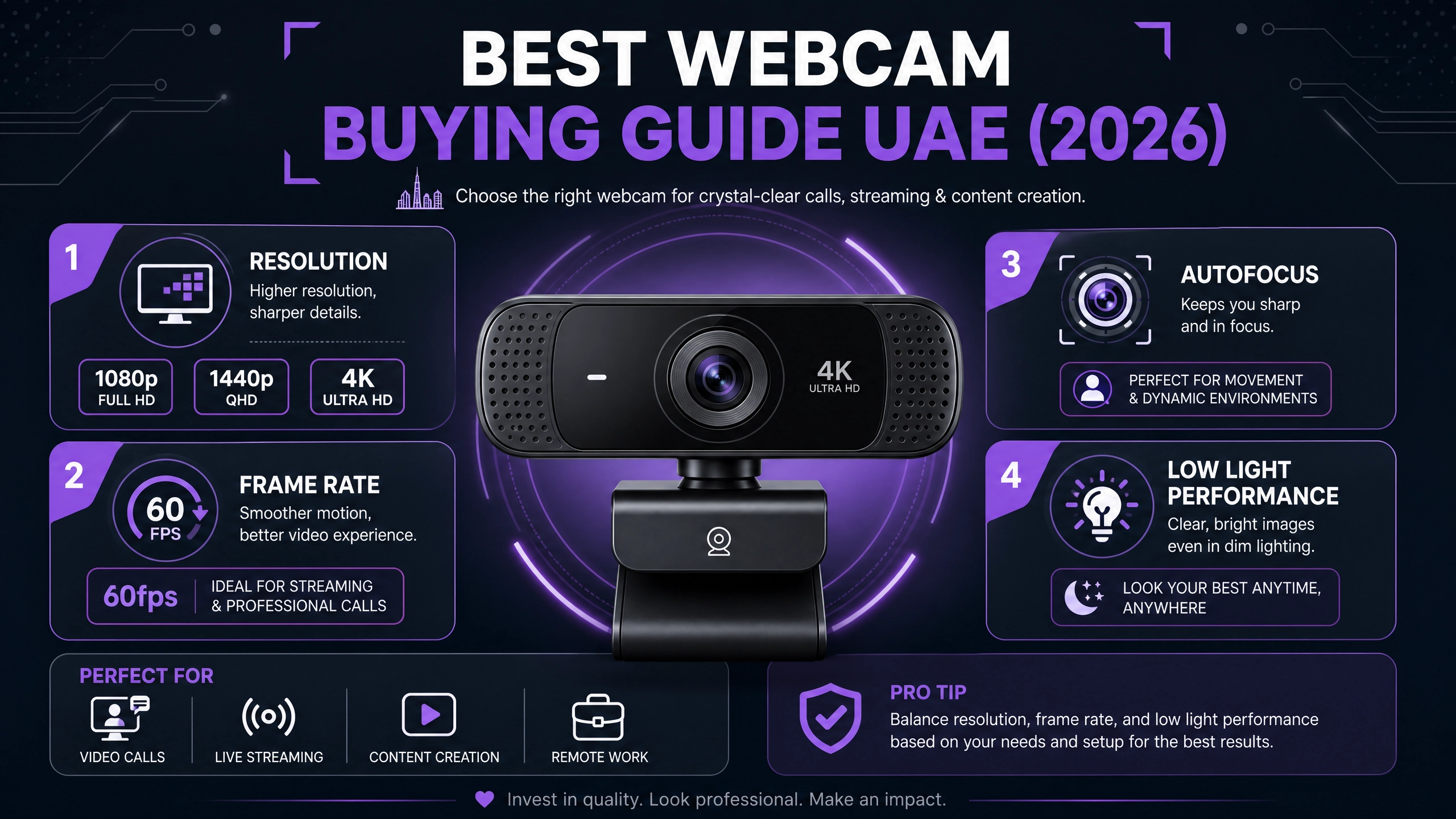
Focus on:
- Resolution
- Frame rate
- Autofocus
- Lighting performance
- Overall setup quality
Where to Buy Webcams in UAE
Finding the right webcam becomes easier when you can compare different options in one place.
Whether you need an entry-level webcam for remote meetings or a premium AI-powered camera for content creation, choosing the right ecosystem matters just as much as choosing the camera itself.
You may also want compatible accessories such as:
- Streaming microphones
- Lighting equipment
- Creator tools
- Audio accessories and professional audio gear
Explore Yayastation’s USB Cameras collection and streaming gear to build a setup that fits your workflow.
You may also want compatible accessories such as:
- Streaming microphones
- Lighting equipment
- Creator tools
- Audio accessories and professional audio gear
Explore Yayastation’s USB Cameras collection and streaming gear to build a setup that fits your workflow.