


Key Highlights
- The Elgato Stream Deck lineup offers a range of models to enhance your content creation and streaming workflow.
- Customizable LCD keys allow you to trigger actions, switch scenes, and automate tasks with a single touch.
- Models like the Stream Deck XL provide more keys for complex setups, while the Mini is perfect for beginners.
- Advanced options like the Stream Deck + add tactile dials and a touch strip for precise audio mixing.
- Choosing the right device depends on your specific needs, desk space, and workflow efficiency goals.
Introduction
If you are a content creator, you know how challenging it can be to manage everything during a live stream or recording session. An Elgato Stream Deck is a powerful tool designed to simplify your process. This small keypad features customizable LCD keys that give you instant control over your apps and tools. With several different models available, it can be tough to know which one is right for you. This guide will help you compare options and find the perfect stream deck for your content-creation journey.
Which Stream Deck Is Best for Content Creators and Streamers?
Deciding on the best stream deck really comes down to your individual needs. Are you just starting, or are you a seasoned content creator with a complex setup? Each model is built to serve a different purpose, from simple task automation to full-blown production control.
For example, a professional streamer might need the Elgato Stream Deck XL for its many customizable keys, while a new YouTuber could get everything they need from a more compact version. Your ideal workflow will determine which device is the perfect match for you.
This guide helps creators compare Stream Deck models based on workflow and use case, not on pricing or purchasing decisions.
1. Elgato Stream Deck MK.2 – Versatile Favourite for Creators
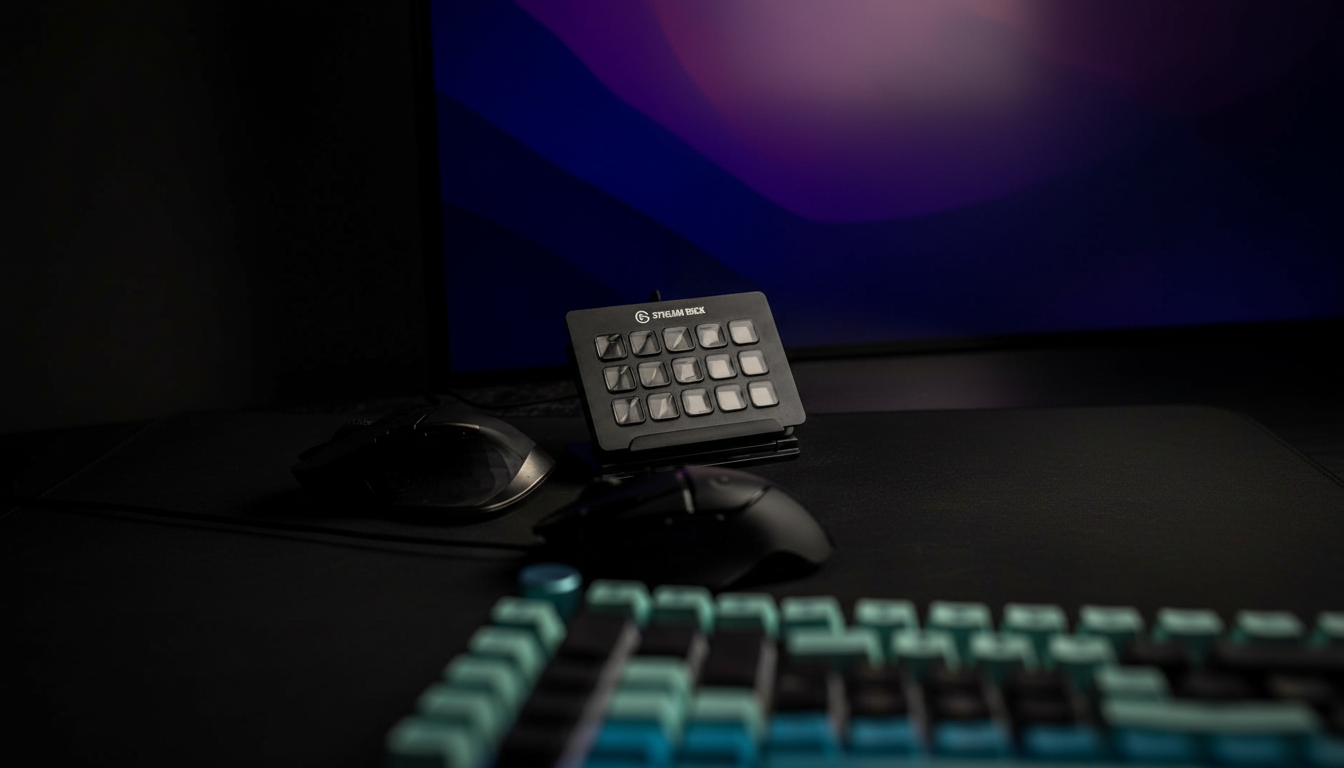
The Elgato Stream Deck MK.2 is a top choice for content creators, offering a perfect balance of functionality and compact size. Its 15 customizable LCD buttons let you map your most-used actions, from launching social media posts to controlling streaming software.
Highlights include a modern design with interchangeable faceplates to match your setup, easy USB-C connectivity, and a sturdy angled stand for comfortable use.
Ideal for creators seeking a powerful yet streamlined control centre.
- 15 customizable LCD keys
- Interchangeable faceplates
- Integrates with OBS, Twitch, YouTube, and more
- Fixed stand for ergonomic viewing
2. Elgato Stream Deck XL – Top-Rated for Advanced Streaming Setups
When you need maximum control, the Elgato Stream Deck XL delivers. With 32 customizable LCD keys, it offers endless options for mapping actions, macros, and shortcuts, ideal for streamers and creators managing complex workflows.
Each key provides instant visual feedback, so you know your command has been executed, crucial during live broadcasts. The non-stick magnetic stand keeps it stable on your desk, even with heavy use. Seamless integration with platforms like Twitch and YouTube makes it perfect for professional setups.
If you’re running out of buttons or want full control from one device, the Stream Deck XL is your solution.
- 32 customizable LCD keys
- Perfect for multi-action workflows
- Non-stick magnetic stand for stability
- Instant visual feedback
3. Elgato Stream Deck Mini – Compact Choice for Beginners
Being a beginner streamer or having limited desk space doesn’t mean you have to sacrifice functionality. The Elgato Stream Deck Mini delivers essential features in a compact design, offering six fully customizable LCD keys, perfect for core tasks like switching scenes, muting your mic, or triggering sound effects.
Despite its small size, the Stream Deck Mini uses the same powerful software as larger models. You can create folders and multi-action commands, so each key can handle multiple tasks. It’s an excellent value and an ideal entry point for streamlining your workflow without a big investment.
- 6 customizable LCD keys
- Compact footprint for small setups
- Full-featured Stream Deck software
- Perfect for beginners and essential streaming tasks
4. Elgato Stream Deck + – Next-Gen Features for Pro Workflows
The Elgato Stream Deck + elevates creative control with eight LCD keys, a dynamic touch panel, and four push-to-click dials. Designed for creators who need more than button presses, it delivers precise tactile control, ideal for audio mixing and real-time visual feedback. Smart profiles automatically adjust key layouts as you switch apps. Perfect for video editors, audio professionals, and streamers aiming for a streamlined pro workflow.
- 8 LCD keys, 4 push-dials, LCD touch panel
- Precise tactile audio mixing
- Smart profiles auto-adapt to your apps
- Ideal for advanced editing and production
5. Razer Stream Controller X – Alternative for Multi-Platform Creators
Razer offers a compelling alternative with its Stream Controller, designed for creators who need to manage more than just a stream. This device combines buttons and dials to streamline your entire creative workflow. It features 12 haptic-switchblade touchscreen keys that can be organised into different layouts, giving you access to an infinite combination of actions.
What makes this controller stand out is its six tactile analogue dials, which are perfect for adjusting audio levels, light brightness, and other settings with precision. This makes it a powerful tool not just for streaming, but for video editing and other creative work. Razer partnered with Loupedeck, so it uses centralised software that allows for deep customisation across many applications.
If you’re a multi-platform creator looking for a single device to manage your entire workflow, the Razer Stream Controller is a fantastic option.
- 12 haptic touchscreen keys
- 6 tactile analogue dials for precise adjustments
- Customizable layouts for different tasks
- Integrates with a wide range of streaming software
6. Loupedeck Live S – Flexible Option Beyond Streaming
The Loupedeck Live S is built for creators seeking more than basic streaming. With customizable RGB buttons, analogue dials, and multiple layouts, it offers true unlimited customisation. Its durable aluminium cover ensures it stands up to daily use.
Program each button with multi-layered actions to create complex workflows. Compatible with various streaming and editing apps, the device includes preset profiles for quick setup. Haptic analogue dials give you real-time audio control, ideal for sound management during creative work.
Perfect for video editors and streamers wanting a single, powerful interface.
- Customizable RGB buttons and dials
- Real-time visual feedback
- Excellent for video editing and audio control
- Includes preset profiles for popular apps
What Makes Each Stream Deck Unique?
While all stream decks aim to simplify your workflow, they achieve this in different ways. The key differences lie in their design, the number and type of controls they offer, and the depth of their software integration. Some are built for straightforward, one-touch actions, while others provide complex tactile controls for audio and video editing.
Understanding these distinctions is crucial to picking the right tool for your setup. Factors like build quality, button layout, software compatibility, and customisation potential all play a role in what makes each model unique. Let’s explore these differences more closely.
Design, Button Layout & Build Quality
When choosing a stream deck, physical design and build quality are crucial. Durable materials such as brushed aluminium or high-quality plastics ensure longevity and reliability, even under intense use. Buttons and dials should feel tactile and firm for confident operation.
Button layout matters too; keys should be well-sized and spaced to avoid accidental presses, and the interface should be intuitive for easy navigation. Features like touch strips or dials should enhance usability without distraction.
A well-designed stream deck becomes a seamless part of your workflow, not just another accessory.
- Durable materials ensure long-lasting performance.
- Tactile buttons give satisfying feedback.
- Logical layouts prevent mistakes.
- The interface should be intuitive.
- Solid build prevents bending or breaking.
Software Integration & Compatibility
A stream deck’s power relies on its software. Before buying, check compatibility with your operating system (Windows or macOS) and ensure seamless integration with your daily apps, such as OBS, Twitch, or Adobe Creative Suite. The best software is user-friendly and regularly updated.
Choose a device with extensive plugin support to expand functionality from controlling lighting to managing social media. For example, the Elgato Stream Deck model offers a vast app store of plugins for many applications.
Deep software integration transforms your Stream Deck device from simple buttons into a full command centre for content creation.
Key points:
- Verify OS compatibility (Windows/macOS).
- Ensure smooth integration with essential apps.
- Look for a robust plugin library.
- Choose user-friendly, regularly updated software.
Customisation and Workflow Automation
The true power of a stream deck design is its ability to automate workflows through customisation. With programmable keys, you can assign complex macros or multi-action sequences to a single button, like starting your stream, launching apps, and posting a “going live” tweet with one tap.
Smart profiles automatically adjust your button layout based on the app you’re using, giving you context-sensitive controls for tools like OBS or Photoshop. This customisation streamlines content creation.
Automating repetitive tasks saves time and reduces errors during live broadcasts, letting you focus on engaging your audience.
- Assign complex macros to one key
- Smart profiles adapt to active apps
- Automate tasks to save time
- Boost workflow efficiency
Stream Deck Models Comparison: Mini vs MK.2 vs XL vs Plus
Choosing between the core Elgato models can be tough, as each is designed for a different type of user. The Stream Deck Mini, MK.2, XL, and Plus all share the same powerful software but differ significantly in their physical form and capabilities. The main distinctions come down to the number of keys, physical size, and the inclusion of advanced controls like dials.
This comparison will help you understand which model best fits your desk space, workflow complexity, and creative ambitions. Let’s break down how these popular stream deck options stack up against one another.
Button Count and Desk Space Requirements
The main difference between Stream Deck models is the number of macro keys and the amount of desk space they take up. Choose based on how many actions you need and your available space. The Mini is ultra-compact, perfect for minimalist or portable setups.
The MK.2 balances size and function with 15 keys, ideal for most creators. The XL has 32 keys for complex workflows, so you won’t have to dig through folders. The Plus has fewer keys but adds dials and a touch strip, taking up slightly more space than the MK.2.
If you need lots of hotkeys, go for the XL. For basic controls, the Mini or MK.2 will do.
| Model | Button Count | Key Features | Best For |
|---|---|---|---|
| Stream Deck Mini | 6 LCD Keys | Ultra-compact | Beginners, minimal setups |
| Stream Deck MK.2 | 15 LCD Keys | Interchangeable faceplate | Most creators, versatile use |
| Stream Deck XL | 32 LCD Keys | Non-stick magnetic stand | Advanced streamers, complex workflows |
| Stream Deck + | 8 LCD Keys, 4 Dials | Touch strip, tactile control | Audio mixing, pro editors |
Workflow Complexity & Use Case Matching
Choosing the right Stream Deck depends on your workflow. Not everyone needs 32 keys; some can get by with six. Match the model to your use case:
- Beginner: For simple tasks like scene switching or muting, the Stream Deck Mini device is ideal.
- Intermediate: The MK.2 suits creators managing graphics, audio, and multiple scenes.
- Advanced: The XL is best for handling complex macros and viewing all commands at once.
- Pro: The Plus offers tactile control for advanced audio and video production across multiple apps.
Select based on your workflow complexity to maximise value.
Platform Support (Streaming, YouTube, Podcasting)
Many people think stream decks are only for live streaming on platforms like Twitch, but they’re versatile tools for all kinds of content creation, including YouTube videos and podcasts. Automating repetitive tasks saves valuable time in any creative workflow.
For YouTubers, a stream device can speed up editing by mapping hotkeys to cut clips, apply effects, or export files. Podcasters can use it to trigger sound effects, manage audio sources, or mark sections for editing.
Stream decks integrate deeply with popular creative apps, making them useful for any content creator:
- Control OBS and other streaming software
- Automate video editing tasks for YouTube
- Manage audio sources and sound effects for podcasting
- Streamline workflows across creative platforms
Factors to Consider When Choosing the Best Stream Deck
When you’re ready to pick the best stream deck for your needs, there are a few key factors to keep in mind. It’s not just about getting the model with the most buttons. You should think about your current workflow and where you see your content going in the future.
Consider features that will help you as a beginner versus the benefits of upgrading to a more advanced model later on. Thinking about factors like ease of use, customisation potential, and build quality will help you make a choice that you’ll be happy with for years to come.
Features for Beginner Streamers and Creators
If you’re new to streaming or content creation, choose a stream deck that’s easy to set up and use. Prioritise a user-friendly interface with simple customisation.
Pick a model with enough LCD keys for basic tasks like switching scenes, starting/stopping streams, and muting audio. The Stream Deck Mini, for example, offers six keys ideal for these functions. Seamless integration with popular software like OBS is also essential.
Your goal is to simplify your workflow, not complicate it. An intuitive stream deck boosts confidence and production quality from day one.
- Easy setup and user-friendly software
- Enough keys for essential functions
- Seamless integration with streaming software
- Simple macros and folder creation
Benefits of Upgrading to Advanced Models
As your content creation grows, a basic stream deck may no longer suffice. Upgrading to advanced models like the Stream Deck XL or Stream Deck + offers key benefits:
- More programmable buttons for complex workflows
- Tactile dials for precise audio mixing (Stream Deck +)
- Enhanced visual feedback with larger interfaces
- Deeper integration with professional editing software
These upgrades boost efficiency and creativity, making them ideal for power users managing sophisticated productions.
Conclusion
In conclusion, selecting the right Stream Deck model can significantly enhance your content creation experience. Whether you’re a beginner, an advanced streamer, or a multi-platform creator, understanding the unique features and capabilities of each Stream Deck will help you make an informed decision. With models like the Elgato Stream Deck MK.2, XL, Mini, and others, there’s a perfect option tailored to your needs. By focusing on factors such as design, button layout, and software integration, you can elevate your workflow and streamline your creative process. If you want to explore the available Stream Deck models and compare their features in one place, you can view our Stream Deck collection here.
3-Frequently Asked Questions
Is Stream Deck useful for YouTubers and podcasters?
Yes, absolutely. A Stream Deck is incredibly useful for YouTubers and podcasters. You can use the programmable buttons to automate repetitive editing tasks, trigger sound effects, control audio levels, and streamline your entire content creation process, saving you significant time and effort beyond just live streaming.
Which Stream Deck model is best for live streaming setups?
For advanced live streaming, the Stream Deck XL is a top choice for content creators in the UAE. Its 32 customizable keys provide extensive control over complex scenes and actions, making it a favourite among professional streamers globally who require a powerful and reliable Elgato setup.
Can a Stream Deck improve workflow efficiency for content creators?
Yes, a Stream Deck can dramatically improve workflow efficiency. By mapping complex sequences and shortcuts to its customizable LCD keys, you can automate repetitive tasks in your content creation process. These macro keys reduce manual effort, save time, and let you focus more on the creative aspects of your work.