





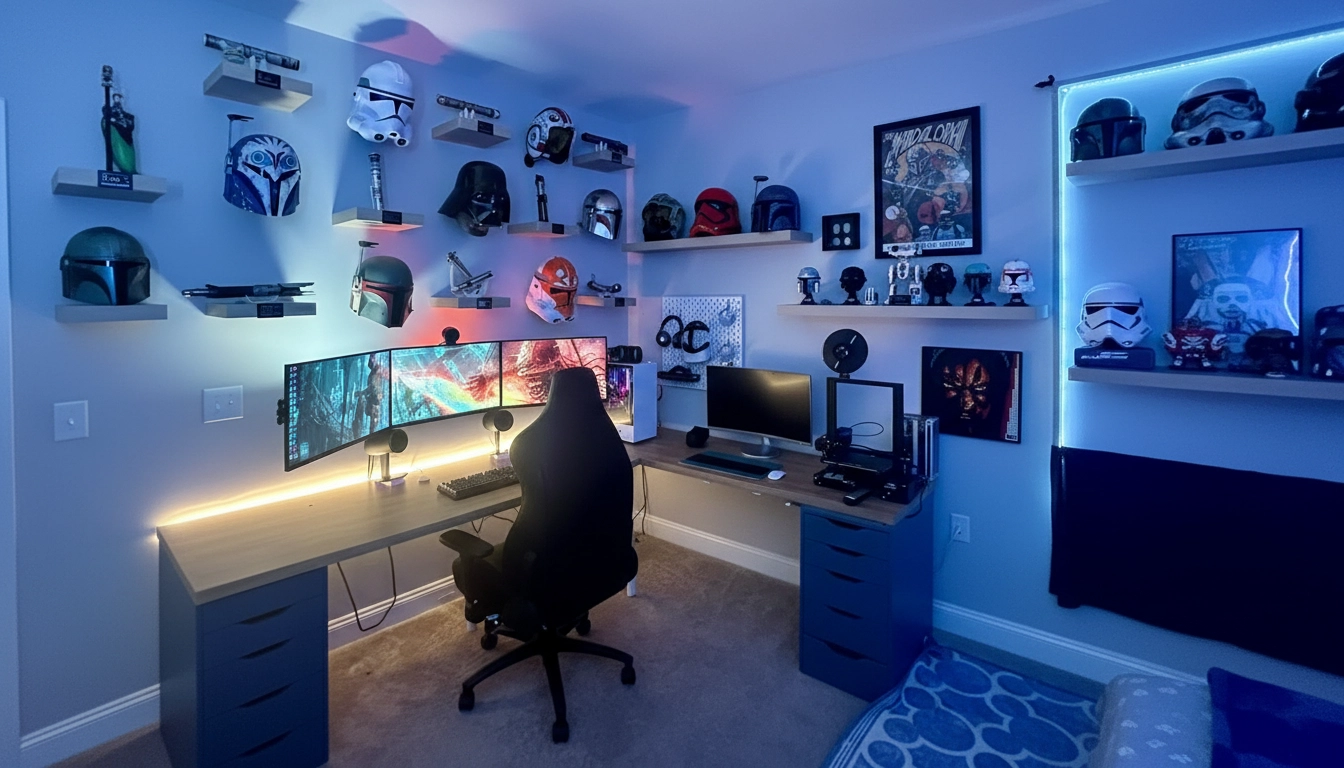
Living in the UAE means many people work with smaller spaces, especially in apartments. A compact room does not limit your ability to build a clean, good-looking, and high-performing gaming setup.
In fact, smaller setups often feel more refined. They encourage better organization, smarter furniture choices, and a cleaner overall design.
This guide explains how to make your space work efficiently, look great, and stay practical without unnecessary complexity.
Why Small Gaming Setups Are Trending in the UAE
With rising rent and more compact living spaces in cities like Dubai and Abu Dhabi, gaming setups are becoming more space-conscious.
Many people now prefer:
- Space-saving gaming desks for compact rooms
- Multi-purpose furniture in gaming room design
- Minimal and simple layouts
- Clean setups with personal touches inspired by social content
The goal is no longer to have a large setup. It is about creating a smart setup that uses space effectively.
1. Choose the Right Desk (This Changes Everything)
Your gaming desk is the foundation of your entire setup.
For smaller rooms, large L-shaped desks are not always practical unless the layout truly supports them.
Better options include:
- Small straight desks around 100–120 cm
- Height-adjustable desks for flexibility
- Wall-mounted desks to save floor space
- Foldable desks for multi-use rooms
A smaller desk naturally encourages better organization and helps maintain focus.
2. Go Vertical, Not Horizontal
When floor space is limited, vertical space becomes essential.
You can use:
- Wall shelves for gaming gear and décor
- Monitor arms instead of stands
- Under-desk headphone hooks
- Pegboards for organizing accessories
This keeps your desk clear and gives you more usable space.
3. Keep It Minimal (Clutter Affects Small Setups)
A common mistake is trying to fit too much into a small setup.
A better approach is to focus on essentials:
- Only the equipment you actually use
- Clean cable management systems
- Open desk space for a better visual balance
A well-balanced setup often includes:
- One monitor, or two if arranged efficiently
- A compact keyboard (TKL or 60%)
- A clean mousepad area
- Minimal accessories
Less clutter improves both focus and overall appearance.
4. Lighting Is Your Secret Weapon
Lighting can significantly improve how a small gaming space feels.
Effective lighting options include:
- LED strip lights behind the desk
- Monitor backlighting
- Light bars instead of bulky lamps
- Smart lighting for adjustable ambiance
This adds depth, improves comfort, and enhances the immersive experience.
Take a look at what we have here: /gamers-den/ /rgb-lighting
5. Smart Cable Management Creates a Clean Look
Loose cables can make a small space feel crowded.
Simple solutions include:
- Cable clips under the desk
- Cable sleeves to group wires
- A mounted power strip to keep cables off the floor
A clean cable setup instantly improves the overall look.
6. Optimize for Airflow (Important in UAE Climate)
Gaming setups generate heat, and smaller rooms can retain it.
To improve airflow:
- Leave space behind your PC
- Avoid placing your setup directly against walls
- Use a small fan if needed
This helps maintain performance and keeps your setup comfortable during longer sessions.
7. Use Multi-Functional Furniture
In many UAE homes, a gaming setup shares space with other daily activities.
Your space may include:
- Bed
- Work desk
- Storage
So your setup should adapt accordingly.
Practical ideas include:
- Desks with built-in drawers
- Monitors suitable for both work and gaming
- Chairs that can be tucked under the desk
This keeps the space flexible and efficient.
8. Create a Visual Theme (Makes Small Look Premium)
A consistent theme helps a small setup feel more organized and visually appealing.
Popular styles include:
- Minimal black setups
- Clean white designs
- Subtle RGB lighting with limited colors
A clear theme makes the setup feel intentional rather than crowded.
9. Positioning Matters More Than Size
The placement of your setup has a major impact on how spacious the room feels.
Helpful positioning tips:
- Place the desk near a corner
- Use natural light when possible
- Keep walkways clear
Small layout adjustments can make a noticeable difference.
10. Build in Phases (Don’t Rush It)
A well-designed setup does not need to be completed all at once.
Start with the essentials:
- A gaming desk and ergonomic chair
- A core system such as a PC or console with a monitor
- Proper lighting
- Basic accessories like a keyboard, mouse, and headphones
Then upgrade gradually with thoughtful additions. This approach helps avoid clutter and unnecessary spending.
Final Thoughts
A small room does not limit your setup. In many cases, it improves it.
Compact setups often feel:
- Cleaner
- More organized
- Easier to maintain
- More focused
In the UAE, where space is limited, the most effective setups are those that use space intelligently.
A well-planned setup supports both performance and comfort while fitting naturally into everyday living.
Key Considerations for Gaming Rooms in Dubai
When setting up a gaming space in a smaller UAE room, a few elements matter most:
- Furniture that fits the available space
- Ergonomic design for comfort
- Effective cable management systems
- Balanced lighting
- Proper ventilation
- Thoughtful layout planning
These elements create a setup that feels comfortable, efficient, and visually cohesive without requiring a large room.
Frequently Asked Questions
What size desk is best for a small gaming room in the UAE?
A desk between 100-120 cm is ideal for most small UAE apartments. It provides enough space for a monitor, keyboard, and mouse while leaving room for proper airflow and cable management.
How can I reduce heat buildup in my small gaming setup?
Leave at least 10-15 cm of space behind your PC, position the desk away from walls when possible, and consider using a small desk fan. The UAE climate makes airflow particularly important for maintaining performance during extended gaming sessions.
Can I have a dual monitor setup in a small room?
Yes, but use monitor arms instead of stands to free up desk space. Stacked monitors or one horizontal and one vertical arrangement often work better than side-by-side layouts in compact spaces.