




Key Highlights
- An audio interface is an essential tool for any home recording setup, significantly improving sound quality over a standard computer sound card.
- The best audio interfaces for beginners offer a balance of user-friendly features, quality mic preamps, and simple connectivity, usually via USB.
- When choosing an interface, consider your primary use, such as music production, vocal recording, or podcasting, as different models excel in different areas.
- Key features to look for include the number of inputs, direct monitoring for zero-latency recording, and compatibility with your computer and software.
- Understanding your specific recording needs helps you avoid common mistakes, such as overbuying unnecessary features or ignoring future growth.
Introduction
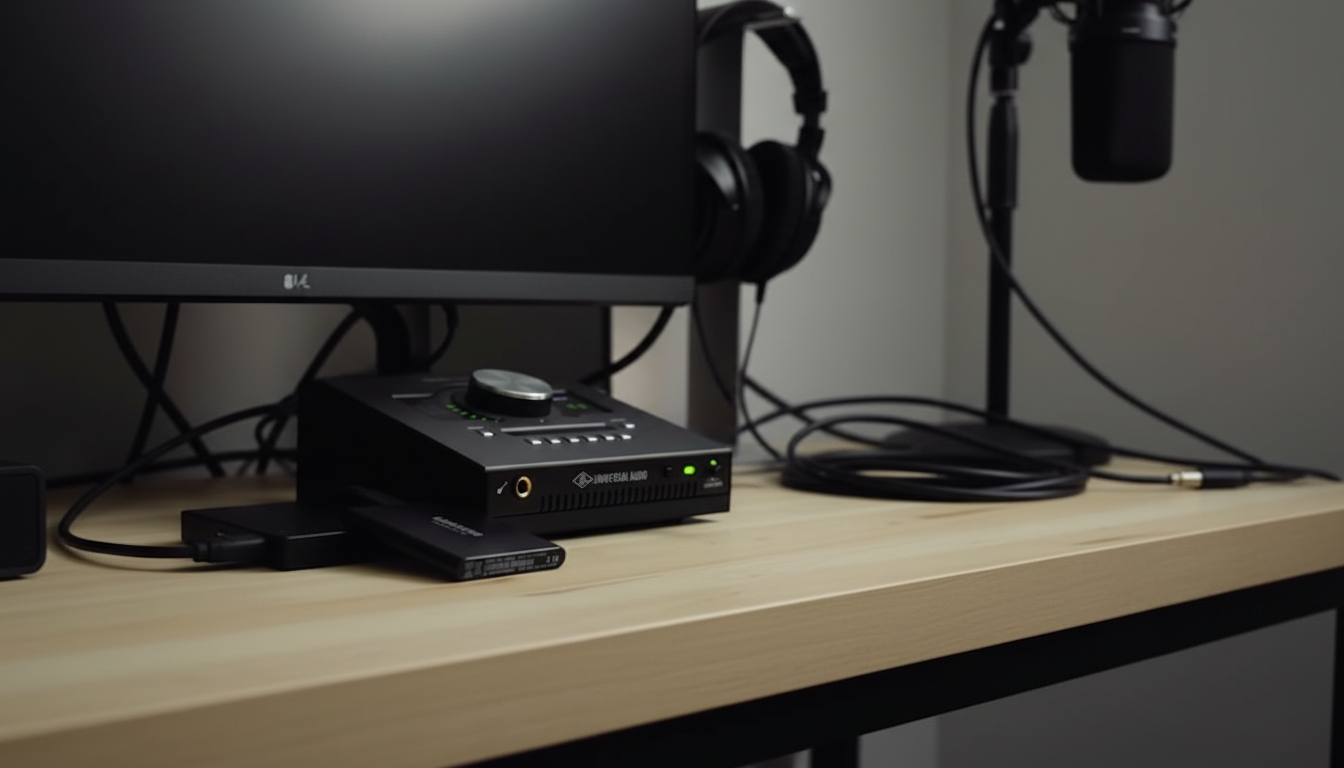
Are you ready to start your home recording journey? A quality audio interface option is the heart of any home studio, acting as the bridge between your instruments or microphones and your computer. Whether you’re diving into music production, recording your first podcast, or capturing song ideas, this device is non-negotiable for achieving clear, professional-sounding audio. This guide focuses on helping you choose the right type of audio interface for your needs, not on specific purchasing decisions.
Understanding Audio Interfaces for Beginners
If you’re new to home recording, the term “audio interface” might sound technical, but its purpose is simple: to get high-quality sound into and out of your computer. It’s a massive upgrade from the basic sound card that comes with your laptop or desktop.
Understanding what an audio interface does, including its role in AD/DA conversion, is the first step toward building a great home studio. We’ll explore what these devices are, how they differ from standard sound cards, and why they are so crucial for your projects.
What Is an Audio Interface?
It’s an external device that connects microphones, instruments, and other gear to your computer. It converts analogue signals to digital for recording and back to analogue for playback through monitors or headphones, including adjusting the headphone volume.
The interface delivers higher-quality recordings than standard sound cards, thanks to features such as premium converters and mic preamps that amplify signals cleanly and without noise.
For beginners setting up a home studio, an interface with one or two quality mic preamps provides clear, detailed sound at an affordable price.
How Audio Interfaces Differ from Sound Cards
A computer’s built-in sound card isn’t designed for high-quality recording. Audio interface options use higher-quality analogue-to-digital and digital-to-analogue converters, delivering cleaner, more accurate, professional audio, primarily through digital conversion.
They also offer proper connections for studio gear, such as XLR and 1/4-inch inputs, features that standard sound cards lack. These ensure stable signals from your equipment.
For beginners, the improvement is dramatic: less noise, greater clarity, and essential connectivity for studio microphones and instruments. An audio interface device is the most impactful upgrade for your recording setup.
Why Are Audio Interfaces Essential for Home Studios?
For serious home recording, it is essential, not a luxury. It dramatically improves sound quality beyond what your computer alone can provide, whether you’re recording vocals, instruments, or podcasts.
A key advantage is low latency, the near-instant feedback between playing and hearing your sound. This makes recording smooth and responsive, which is crucial for performers.
It can also serve as your studio’s central hub, managing all connections, powering microphones, and capturing every track with professional clarity. It’s the foundation of high-quality music production.
Key Benefits for Recording Vocals, Instruments, and Podcasts
A recording interface greatly enhances your home studio projects. Its high-quality mic preamps deliver clean, powerful sound and excellent audio quality for detailed, noise-free recordings. Dedicated headphone outputs provide real-time, zero-latency monitoring, essential for staying in sync and on pitch. Separate volume controls for headphones and monitors add convenience.
Key benefits include:
- Superior Sound: Professional-grade converters ensure high-quality recordings.
- Versatile Connectivity: Inputs for mics, guitars, and keyboards.
- Phantom Power: Supports condenser microphones.
- Zero-Latency Monitoring: Hear yourself instantly with no delay.
What to Look for in an Audio Interface for a Home Studio
Choosing the right audio interface for your home studio can be overwhelming with so many options. Focus on your specific recording needs rather than on technical jargon. Consider what you want to record now and in the future.
This section will highlight the key features to consider, including inputs, outputs, connection types, and compatibility, helping you make an informed choice without getting bogged down in details.
Number of Inputs and Outputs – What Matters Most for Entry-Level Users
The number of inputs and outputs determines how many sources you can record at once and how many speakers or headphones you can use. For beginners and solo artists, two inputs are ideal for recording vocals and an instrument simultaneously or capturing stereo sources like keyboards and drum machines.
Mic inputs (XLR) are for microphones; line inputs (1/4-inch) connect instruments such as guitars and synths. Many entry-level interfaces offer combo jacks that accept both types for flexibility.
Key Features:
- Two Inputs: Ideal for solo musicians, podcasters, and singer-songwriters.
- Combo Jacks: Support both mic and instrument cables.
- Two Outputs: Standard stereo pair for studio monitors.
USB vs. Thunderbolt vs. Other Connections Explained
An audio interface connects to your computer through various ports, with USB being the most common for beginners. A USB interface is widely compatible, easy to set up, and provides more than enough speed for most home recording projects.
Thunderbolt is another popular connection type, primarily found on Mac computers and more high-end interfaces. It offers faster data transfer speeds, which can result in even lower latency. However, for most entry-level users, the performance difference is often negligible, and USB’s simplicity is a major plus.
Here’s a quick breakdown of connectivity options:
- USB: The industry standard for beginner and home studio interfaces. It’s affordable, universal, and easy to use.
- Thunderbolt: Offers higher speed and is great for Mac users or professionals running many tracks at once.
- Firewire: An older connection type that is less common on modern interfaces.
Compatibility with Windows and macOS Systems
Before you settle on an audio interface, it’s crucial to check its compatibility with your computer’s operating system. While most modern interfaces work seamlessly with both Windows and macOS, it’s always smart to double-check the manufacturer’s specifications. This simple step can save you from major headaches down the road.
Compatibility also extends to your recording software, also known as a Digital Audio Workstation (DAW). Modern interfaces are designed to be “class-compliant,” meaning they should work with any major DAW, such as Ableton Live or Pro Tools, without requiring special drivers.
However, some interfaces come with their own control software for advanced routing or effects. Ensure this software is supported by your system. A quick visit to the product’s official website will give you all the compatibility information you need to ensure a smooth setup.
User-Friendly Features for Beginners
When starting out, ease of use matters as much as technical specs, including bit depth. The best beginner audio interfaces are intuitive, letting you focus on music rather than technology. Choose models with a simple front panel and clearly labelled controls.
Helpful features include “gain halos”, LED rings around input knobs that change colour to indicate signal levels, and “auto gain” functions that automatically set recording levels.
Look for these user-friendly features:
- Clear Level Meters: Instantly see if your signal is clipping.
- Direct Monitoring Knob: Easily eliminate recording latency.
- Included Software Bundle: Start right away with free DAW and plugins.
- Large-Volume Knob: Precise control of speaker volume.
Ease of Setup with DAWs and Recording Software
Entry-level audio interfaces should be easy to set up with your Digital Audio Workstation (DAW). Most modern interfaces are plug-and-play, so your computer and recording software will recognise them automatically. This quick setup lets you start recording right away.
Some interfaces may require installing a driver, but this process is usually simple and guided by the manufacturer. After installation, just select the interface as your input and output device in your DAW settings.
Many interfaces, including those from Native Instruments, also include a software bundle, often with a lite version of a popular DAW like Ableton Live Lite, giving beginners essential tools to start recording and producing music immediately.
The Importance of Direct Monitoring and Latency Control
Latency is the delay between making a sound and hearing it through your headphones, caused by audio travelling through your interface and computer. Even minimal latency can be distracting and hinder recording.
Direct monitoring solves this by sending your input signal straight to your headphones before it reaches the computer, letting you hear yourself in real-time with zero latency.
Most beginner audio interfaces offer latency control:
- Direct Monitoring Switch: Instantly enables zero-latency monitoring.
- Mix Knob: Lets you blend your direct signal with computer playback for a customised headphone mix.
Beginner’s Guide: Getting Started with Your First Audio Interface
Now that you understand what to look for, it’s time to get your first audio interface up and running. This part of your recording journey should be exciting, not intimidating. A good setup process is straightforward and will have you recording your ideas in no time.
We’ve created a simple, step-by-step guide to walk you through the entire process. From selecting the right device to recording your first track, these steps will ensure your initial home recording experience is a success.
Essential Equipment and Resources You’ll Need
Before setting up your audio interface, gather the essential equipment for your home studio. The interface connects everything, so having the right gear streamlines setup.
You’ll need a computer with recording software, a microphone or instrument, and headphones or studio monitors. A condenser mic is ideal for beginners due to its detail, but it requires a phantom-powered interface.
Essential equipment checklist:
- Computer (Mac or PC)
- Audio interface
- Microphone (e.g., condenser) and/or instrument
- Studio headphones and/or monitors
- Required cables (XLR for mics, 1/4-inch for instruments)
Step-by-Step Guide to Setting Up Your Entry-Level Audio Interface
Setting up your entry-level audio interface is quick and straightforward. Manufacturers design these devices to be user-friendly, especially for beginners. Just follow the steps, and you’ll be recording in minutes.
This guide breaks down the setup into simple steps, from unboxing to connecting to your recording software.
Follow this sequence to ensure everything is properly connected and configured, giving you a strong start for future projects. Let’s begin with the first step: choosing the right interface.
Step 2: Connecting Your Audio Interface to Your Computer
Once you have your audio interface, the next step is connecting it to your computer. For most beginners, this will involve a USB audio interface. Simply use the USB cable included with your device to connect it to an available USB port on your computer. It’s that simple.
Most USB interfaces are “bus-powered,” meaning they draw power directly from the computer through the USB cable, so you won’t need an extra power adapter. If your interface has a power switch, make sure to turn it on. You should see a light on the device indicating it has power.
While other connectivity options like Thunderbolt exist, USB is the standard for a reason: it’s universal and incredibly easy to set up. After connecting the hardware, you’re ready to tackle the software side of things.
Step 5: Testing Inputs, Outputs, and Monitoring
With everything configured, it’s time for a quick test to make sure it all works. Plug a microphone into one of the mic inputs or an instrument into one of the line inputs. Create a new audio track in your DAW and “arm” it for recording.
Speak into the mic or play your instrument while watching the level meters on both your interface and in your DAW. You should see the signal register. Adjust the gain knob on your interface until the level is strong but not “clipping” (turning red). Now, plug in your headphones and test the headphone monitoring. Use the direct monitor feature to ensure you can hear yourself without delay.
Finally, test the main outputs:
- Connect your studio monitors to the line outputs on the back of the interface.
- Play some audio from your DAW or computer.
- Adjust the main volume knob on your interface to control the speaker level.
How to Choose the Best Audio Interface for Beginners (By Use Case)
Not all beginners have the same needs. The best audio interface for a podcaster might not be the ideal choice for a guitarist. To help you narrow down your options, it’s useful to think about your primary use case. This approach ensures you get the features that matter most to you.
In this section, we’ll explore different types of budget audio interfaces tailored for specific applications. By focusing on feature sets rather than specific models, you can identify what to look for to achieve the best possible sound quality for your home studio projects.
Convenient Audio Interface for Vocal Recording at Home
For vocal recording, high-quality mic preamps are essential. They amplify your microphone signal cleanly, capturing detail without added noise. Choose an audio interface known for quiet, transparent preamps and 48V phantom power—necessary for condenser mics, the studio standard for vocals.
A two-input interface is usually enough for vocals and instruments. Extras like a dedicated “Air” mode can enhance brightness and presence, helping vocals stand out in the mix.
Suitable Audio Interface for Beginner Guitarists
If you’re a guitarist, you need an audio interface with a dedicated instrument input that not only captures your sound clearly but also enhances it. Typically, a 1/4-inch line input labelled “Instrument” or “Hi-Z.” This special input is designed to handle the signal from an electric guitar or bass, ensuring your tone is captured with harmonic drive and all its clarity and punch, without sounding thin or weak.
Many of the best budget interfaces for home recording include at least one Hi-Z input. A simple two-channel interface is perfect, allowing you to plug your guitar into one input and a microphone into the other to record vocals simultaneously.
Some interfaces, like the Universal Audio Volt series, even include built-in analogue modelling that can emulate the sound of classic preamps or compressors, adding vintage character to your guitar tracks right at the source. This is a great feature for guitarists looking to shape their sound without relying solely on software plugins.
Best Entry-Level Audio Interface for Small Home Studios
For a small home studio, the best entry-level audio interface balances features, quality, and simplicity. You don’t need a massive device with dozens of inputs. A compact, two-in/two-out interface is the workhorse of countless home studios and is more than capable for most beginner projects.
Absolutely, there are many excellent, beginner-friendly audio interfaces well under $200. Brands like Focusrite, PreSonus, and Behringer offer models that deliver fantastic value. Look for a device with a sturdy build quality, especially if you plan to move it around. Metal casings and solid-feeling knobs are a good sign of durability.
The key is to find a reliable device that covers the fundamentals well: clean preamps, clear converters, and zero-latency monitoring. An interface like the Focusrite Scarlett 2i2 or MOTU is often cited as a top contender in this space, providing professional features in an affordable, entry-level package.
Features to Look for in Each Use Case
While the best audio interfaces for beginners share many core qualities, tailoring your choice to your specific recording needs will lead to the best results. By identifying the most critical features for your projects, you can ensure your investment serves you well.
Whether you’re singing, podcasting, or producing beats, certain features will be more important than others. For example, a vocalist needs pristine preamps, while a podcaster might prioritise multiple inputs and a loopback function.
Here’s a summary of key features to prioritise based on your use case:
- Vocalists: High-quality mic preamps and 48V phantom power.
- Podcasters: Multiple mic inputs, individual gain controls, and dual headphone outputs.
- Producers: Low latency, a good software bundle, and solid DAW integration.
- Guitarists: At least one Hi-Z instrument input.
- All Users: Direct monitoring for zero-latency recording.
Where to Explore Audio Interface Options
Now that you’re armed with the knowledge of what to look for, you’re ready to start exploring. The goal is not to find a single “perfect” audio interface, but to find the one that is perfect for your home studio and workflow. Comparing different options based on the features we’ve discussed is the best way to make a confident choice.
Once you know what features you need, you can explore different models and compare the available audio interfaces in one place. This allows you to see how different brands approach similar feature sets and find the device that best aligns with your creative goals and budget.
Discover and Compare Available Audio Interfaces in One Place
The world of audio interfaces is vast, but you can simplify your search by focusing on a few key comparison points. Instead of getting overwhelmed by brand names, use the features that are most important to you as a filter. This will help you identify the top contenders for your home recording setup.
A systematic comparison can make your decision much clearer. For example, if you know you need two inputs and phantom power for a condenser mic, you’ve already narrowed down the field considerably. From there, you can compare factors like preamp quality, bundled software, and user-friendly features.
Conclusion
As you reach the final stages of your audio journey, understanding the best audio interfaces for beginners becomes essential. A well-chosen interface can significantly enhance your recording quality, providing the mic preamps and low latency that are crucial for any budding content creator. Whether it’s the Focusrite Scarlett for its user-friendly setup or Universal Audio for its robust features, the right choice will match your recording needs and ensure both ease of use and impressive sound quality.
3-Frequently Asked Questions
Are audio interfaces necessary for beginners?
Yes, audio interfaces are essential for beginners. They improve sound quality, reduce latency, and provide better connectivity for microphones and instruments. Using an audio interface enables a smoother recording and mixing process, ensuring that even novice musicians can achieve professional-sounding results.
How many inputs do I need for a home studio?
The number of inputs required for a home studio depends on your recording needs. For solo musicians, two inputs may suffice. However, if you plan to record multiple instruments or collaborate with others, consider an interface with four or more inputs for versatility.
Is a USB audio interface good enough for recording?
Yes, a USB audio interface is typically sufficient for recording, especially for beginners. They offer high-quality sound, low latency, and compatibility with various software. For most home studio needs, a reliable USB interface can provide excellent audio performance without breaking the bank.
Can I use an audio interface for podcasting?
Yes, an audio interface is essential for podcasting as it improves sound quality and provides better microphone connectivity. It allows you to monitor audio in real-time and gives you control over input levels, making your recordings more professional and polished.